
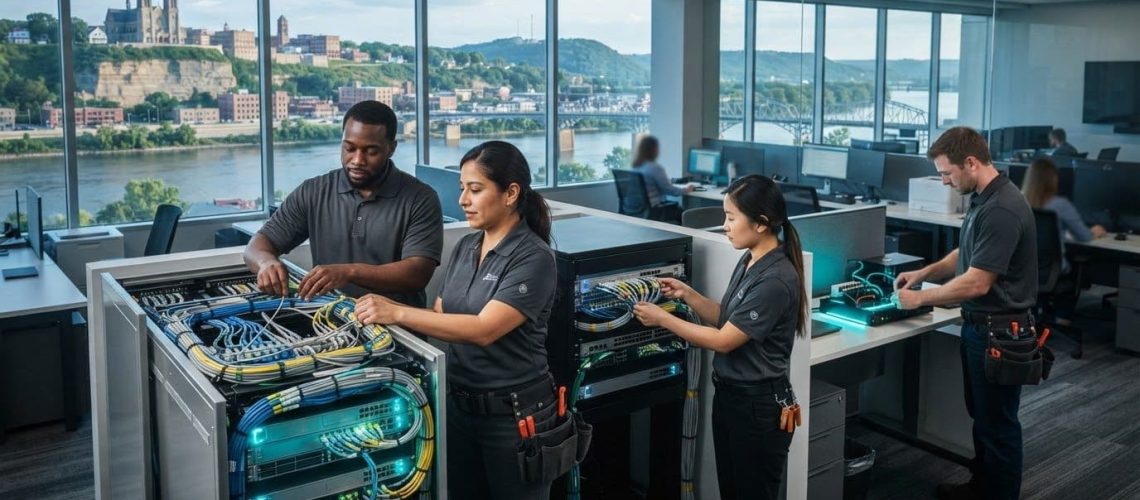
What if recurring network problems aren’t just a connectivity issue, but a sign that your infrastructure no longer fits the way your team works? Unreliable connections can interrupt everyday tasks, while adding devices or staff may put more strain on a network that’s already stretched. For businesses seeking network installation services Dubuque, start by mapping how employees, computers, email, VoIP phones, and other connected technology need to work together.
A dependable business network should support daily workflows, not create more friction. A clear installation plan takes existing infrastructure, work areas, future needs, and the impact on business operations into account.
This article explains what professional business network installation involves, how to compare options, and what to prepare before planning a project. JOB Technologies provides network installation and management for businesses in Dubuque and nearby communities, connecting network needs with the technology employees use each day.
Key Takeaways
- Dropped connections, Wi-Fi dead zones, slow shared systems, and unreliable calls can signal that your network needs a closer look.
- Business network installation can bring equipment, wired connections, Wi-Fi, and connected devices together around operational needs.
- Compare wired, wireless, and suitable existing infrastructure by considering the devices, work areas, and mobility your team relies on.
- Before planning network installation services Dubuque businesses can use effectively, document your goals, users, devices, work areas, and current pain points.
- JOB Technologies provides network installation and management for businesses in Dubuque, Galena, East Dubuque, Dyersville, Farley, and Peosta.
When Dubuque Businesses Need Professional Network Installation Services
Dropped connections during shared work, Wi-Fi dead zones in meeting rooms, slow access to files, and unreliable business calls can turn routine tasks into recurring delays. When the same problems affect several employees or work areas, the cause may extend beyond one computer or phone. A network that keeps pace with the workplace helps employees use the tools they depend on and gives customers a more consistent way to reach the business. For teams looking into network installation services Dubuque, start by identifying how connection problems affect daily operations.
Professional business network installation is the planned setup of connected infrastructure to support a company’s devices, communications, work areas, and operational needs. The scope depends on the workplace, its existing setup, how staff work, and which systems they need to access. A useful plan considers the full computer network, including how equipment and connections work together, rather than treating each device as a separate fix.
What signs suggest a business network needs attention?
Look for patterns. If several employees lose access to cloud tools, experience delays with email, or report choppy business calls, the shared network may need attention. The same applies when connectivity is dependable in one part of the workplace but unreliable in another. Keep a simple record of where and when disruptions happen, which systems are affected, and whether multiple people experience them. This can help distinguish a recurring workplace issue from an isolated device problem.
One employee’s trouble connecting may come from that device or its settings. If colleagues can use the same service normally, note what differs, such as the device, location, or task. If disruptions affect multiple devices, teams, or work areas, a broader network issue becomes more plausible. Repeated slowdowns during shared tasks can also point to a mismatch between current infrastructure and how the business uses its systems.
Which local businesses can benefit from a planned network setup?
Offices, professional firms, and growing small businesses all rely on connectivity, but their requirements differ. A firm with staff sharing files at fixed desks may prioritize dependable wired access, while a team moving between rooms may depend more on consistent wireless coverage. The number of employees and devices, the layout of work areas, and the tasks people perform at the same time all help shape a suitable setup.
For a business in Dubuque, reviewing these needs can clarify whether its current arrangement still fits or whether a planned installation would better support daily work. The same considerations apply to businesses in Galena, East Dubuque, Dyersville, Farley, and Peosta. JOB Technologies provides network installation and management for small and midsize businesses, with planning connected to the technology teams use, including computers, email, and VoIP. A workplace-specific approach makes it easier to weigh connectivity options against employees’ actual routines instead of assuming every business needs the same setup.
What Business Network Installation in Dubuque Can Include
Professional business network installation is the planning and setup of connected infrastructure to support a company’s day-to-day operations. It can involve reviewing the existing setup, arranging network equipment, establishing wired and wireless connections, and connecting business devices to a network planned around how employees work. The scope isn’t one-size-fits-all. A small office reworking its current layout may have different needs from a growing firm adding staff, devices, or work areas.
A well-planned network gives employees a foundation for accessing the tools and shared resources their daily work requires. For businesses considering network installation services Dubuque, planning should account for both the physical workplace and the systems employees use, not just the equipment.
- Network equipment: Equipment that connects devices and helps direct network traffic, selected to suit the site and business requirements.
- Wired connections: Physical connections for devices in fixed work areas, such as desk-based computers or shared office equipment.
- Wi-Fi: Wireless access for laptops, phones, and other devices employees use in different parts of the workplace.
- Connected business technology: Computers, VoIP phones, and other devices that depend on the network to communicate or access business systems.
How wired connections and office Wi-Fi work together
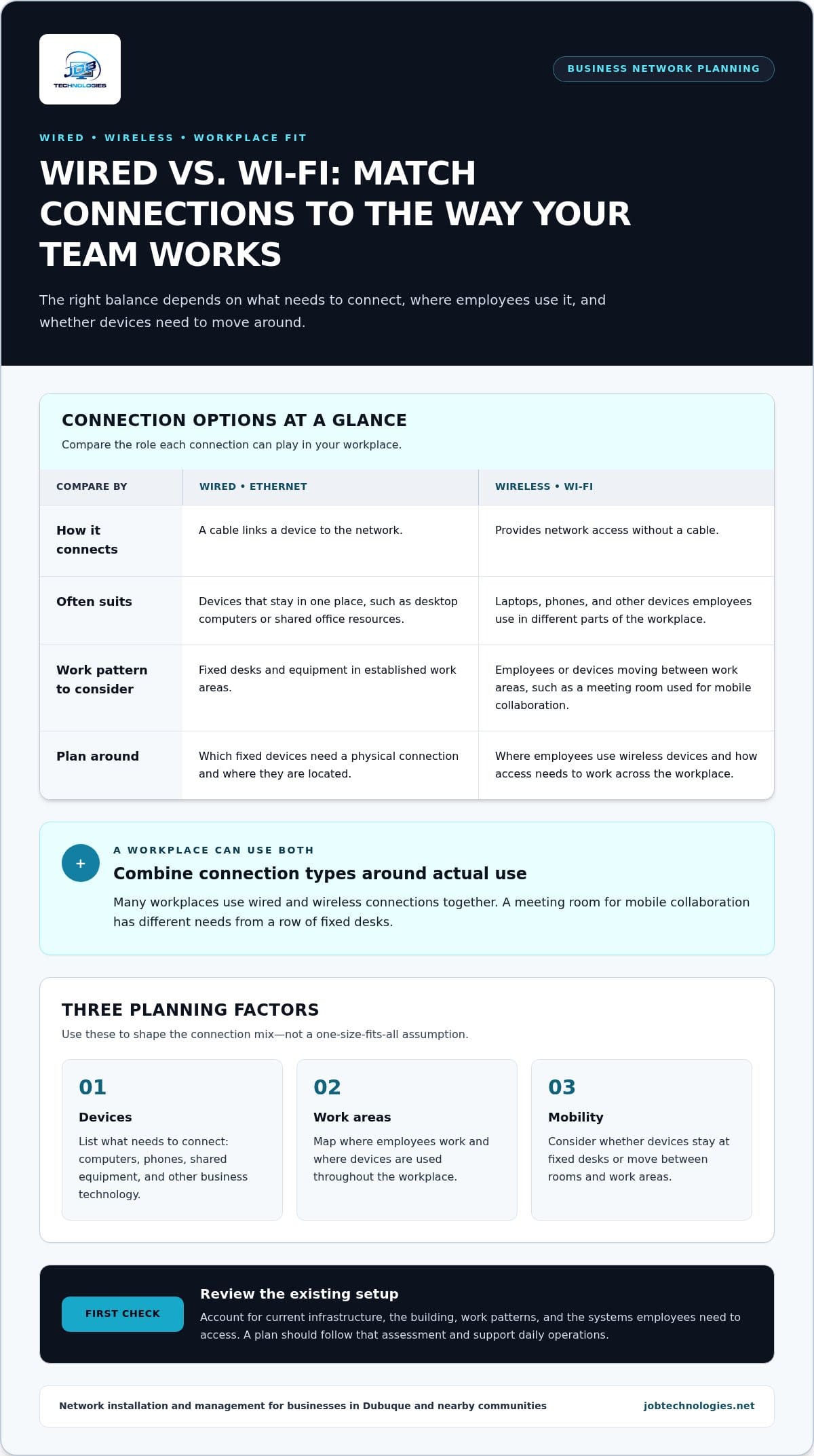
Ethernet is a wired connection that links a device to the network through a cable. It’s commonly used for equipment that stays in one place, such as desktop computers or shared resources. Wi-Fi provides network access without a cable, which can suit laptops and mobile devices used across work areas. Many workplaces use both. The right balance depends on what needs to connect, where employees use it, and whether devices need to move around.
Plan around the actual building, existing infrastructure, and work patterns. A meeting room used for mobile collaboration has different connectivity needs from a row of fixed desks. Mapping where employees work and where devices are used can help identify where wired connections make sense and where wireless access is important. The installation plan should follow that assessment rather than assume a particular speed, coverage level, or performance outcome before the site and requirements are understood.
How network planning supports phones and business systems
Employees may use the network for computers, email, shared files, cloud tools, and VoIP calls throughout the workday. Planning these systems together helps clarify which devices need access, where they’re used, and how employees rely on them. For instance, a team that regularly takes calls from different rooms may have different needs from staff who primarily work at assigned desks.
Include phone requirements in the planning process from the start. Businesses reviewing how internet-connected calling fits their operations can explore the business VoIP phone systems guide. JOB Technologies connects network installation and management with the business technology teams rely on. For help planning the infrastructure and connected systems together, see JOB Technologies’ network installation and management services.
Wired, Wireless, or Existing Infrastructure: How to Compare Network Options
Choosing a network setup isn’t a matter of picking wired or wireless and applying it everywhere. Most workplaces need a combination shaped by the devices employees use, the site layout, and how work gets done. For businesses considering network installation services Dubuque, a site-specific assessment helps determine what to retain, where new connections may be useful, and how to plan work around business continuity.
Wired connections
Device type: Fixed computers, network equipment, or other stationary devices. Mobility: Best suited to devices that don’t need to move often. Work area: Desks or equipment locations where cable routes can be planned. Operational fit: Useful where a direct physical connection suits how the device is used.
Wi-Fi
Device type: Laptops, phones, and other wireless-capable devices. Mobility: Supports employees who move between work areas. Work area: Meeting spaces, shared areas, and flexible work zones. Operational fit: Appropriate when staff need wireless access in the areas where they work.
Existing infrastructure
Device type: Depends on the installed connections and equipment. Mobility: Depends on whether the current setup supports the devices and access employees need. Work area: Consider which parts of the site are served by the existing network. Operational fit: Reuse may be suitable when assessment shows the infrastructure meets current business requirements.
Consider continuity alongside technical choices. Before work is planned, identify the systems and work areas employees rely on, along with tasks that need uninterrupted access. This gives the installation plan a practical reference for arranging work and considering its impact on daily operations. The right approach depends on the site and scope; no single option is automatically best for every business.
When do wired connections make sense for a business?
Wired connections can suit fixed workstations, network equipment, and other stable connection points. Planning cable routes around the office layout helps account for where devices are used, how employees move through the space, and how the workplace functions during a normal day. Businesses weighing cabling needs can use a Dubuque office network wiring guide to inform their planning.
When can Wi-Fi or existing infrastructure fit the need?
Wi-Fi can support employees using mobile devices in meeting rooms or flexible work areas. Existing infrastructure may also remain useful, but its condition and suitability should be evaluated against the business’s current devices, work patterns, and operational needs. A site-specific review helps identify where existing connections fit and where changes may better support the workplace. JOB Technologies provides network installation and management to help businesses in Dubuque plan around those needs.
JOB Technologies provides network installation services that connect planning with the technology your business uses every day.
How to Prepare for a Business Network Installation
A useful planning conversation starts with how your business operates, not with a list of equipment. Before discussing an installation, gather a clear picture of your goals, users, devices, work areas, and current constraints. This helps identify what the network needs to support and which details may shape the project at your site.
Documenting recurring problems makes the discussion more specific. Note where connections drop, which systems are affected, how often issues occur, and whether they involve one person or several areas. A business in Dubuque might report inconsistent access in a shared workspace, while a team in Peosta or Dyersville may need to account for a different layout and work pattern. These observations help JOB Technologies understand your priorities when planning network installation services in the area.
What information should a business gather before planning?
Bring together practical details about the workplace and the people using it. A simple inventory gives everyone a shared starting point and connects the proposed work to business needs.
- Goals and users: Describe what the network should support and which teams or employees rely on it.
- Devices and systems: List computers, phones, shared resources, email, VoIP, and other connected business technology.
- Work areas and site layout: Note where employees work, where devices are used, and how rooms or shared spaces are arranged.
- Current setup and pain points: Record existing infrastructure and recurring issues, including where and when they occur.
- Planned changes: Include expected staff, device, or workspace changes that could affect future requirements.
Site layout and existing infrastructure influence what can be reused, where connections are needed, and how the work may be scoped. The clearer your picture of the current situation, the easier it is to discuss an approach tailored to your business. If you have a floor plan, note device locations and any areas where employees regularly report connection problems.
How can businesses plan around daily operations?
Consider which work periods are busiest, which systems employees need throughout the day, and which areas would be difficult to take out of use. For example, a reception area handling customer calls may have different priorities from a back-office workspace used for shared files. Identifying these dependencies helps set practical priorities before work is planned.
Decide who will coordinate with employees, how project updates will be shared, and which business activities need particular consideration. The installation plan should account for the project’s specific scope and operational priorities. Sharing these details gives your team and technology partner a clearer basis for planning work around the workplace.
Planning checklist: Define goals, identify users and devices, map work areas, document current problems and infrastructure, note upcoming changes, and identify operational priorities.
JOB Technologies works with businesses in Dubuque and nearby communities, including Galena, East Dubuque, Farley, Dyersville, and Peosta, to plan network installation around their needs. Discuss your business network installation needs with JOB Technologies.
JOB Technologies: Local Network Installation and Ongoing Support
A business network is part of the foundation employees rely on to do their work. JOB Technologies provides network installation and management for small and midsize businesses, connecting infrastructure planning with the technology teams use every day. For companies exploring network installation services Dubuque, JOB Technologies helps relate network needs to the workplace, its systems, and its business goals.
JOB Technologies serves businesses in Dubuque, Galena, East Dubuque, Dyersville, Farley, and Peosta. Each organization has its own layout, workflows, and technology requirements, so a suitable network plan should reflect the individual business rather than assume every site needs the same setup.
A connected approach to business technology
Network infrastructure supports more than internet access. Employees may depend on it for computers, email, shared business tools, and VoIP phone calls. Considering these technologies together during installation planning gives the network plan a clearer picture of how staff use connected systems across the workday.
Installation and management are related parts of supporting business technology. Installation addresses the infrastructure a workplace needs, while network management supports that foundation as part of ongoing IT needs. JOB Technologies also provides managed IT, VoIP, cybersecurity, and data backup and recovery services. This broader view helps businesses consider how network decisions fit with the systems they already rely on. For more context on IT support for small businesses, explore the managed IT services guide.
Plan your Dubuque-area business network with JOB Technologies
Start with the details that matter most to your team: business goals, recurring connection problems, the devices and systems employees use, and site requirements that may shape the work. Sharing those priorities gives the planning conversation a practical focus. A business adding work areas, for example, may have different considerations from one reviewing connectivity in its current layout.
JOB Technologies works with small and midsize businesses across Dubuque, Galena, East Dubuque, Dyersville, Farley, and Peosta. Local coverage doesn’t mean every project follows the same plan. The right discussion begins with your workplace and the role its network needs to play in daily operations.
If your business is considering network installation or management, discuss your needs with JOB Technologies. Bring your goals and current pain points to the conversation to explore an approach suited to your team and site.
Make Your Network a Stronger Part of What Comes Next
Your network should support the way your business works today while allowing for changing needs. Treat connectivity as part of operational planning, not just a fix to consider when something goes wrong. As you evaluate network installation services Dubuque businesses rely on, focus on what employees need to do consistently and what could change as your organization grows.
That conversation is easier when network planning connects to everyday business operations. JOB Technologies supports businesses with network installation and management, along with managed IT and related technology services. The goal is a plan grounded in your workplace and priorities, with support that fits the systems your team relies on.
Take the next step toward a network that fits your team. Talk with JOB Technologies about your business network and start planning a dependable foundation for the work ahead.
Frequently Asked Questions
How much do business network installation services cost in Dubuque?
Costs depend on the work your site needs, so there isn’t one price that fits every business. The scope may differ based on the existing setup, the number and type of connections needed, equipment, and the workplace layout. A useful planning discussion should clarify what needs to be installed or reused and which business systems the network must support. JOB Technologies tailors network installation and management to each business’s requirements.
How long does a business network installation usually take?
There isn’t a standard duration for every installation. The amount of work depends on factors such as the site layout, the condition of existing infrastructure, the number of areas involved, and whether the project includes new connections or changes to business systems. An update to an existing setup differs from work across multiple areas. Discussing the project scope and operational priorities helps establish a practical plan.
Can a business keep operating during network installation?
Some business activities may be able to continue, but continuity depends on which systems and areas the work affects. Identify services employees rely on, such as email, shared applications, and phone access, then flag critical work periods and customer-facing tasks. That information helps shape a plan for sequencing the work and communicating any expected impact. Don’t assume there will be no interruption; discuss how the specific project may affect daily operations.
Can existing office network cabling be used for a new setup?
Existing cabling may be reusable if its condition, location, and suitability match the business’s current requirements. Review which rooms it reaches, which devices it needs to connect, and whether the workplace has changed since it was installed. For example, a team that has moved desks or added shared equipment may need a different connection layout. Mapping current cable routes and device locations makes that review more useful.
Does a business need both wired connections and Wi-Fi?
Not every business needs the same mix, but using both can make sense when staff rely on fixed and mobile devices. A desktop at a permanent workstation may suit a wired connection, while laptops used in meeting rooms benefit from wireless access. Match connection types to how devices are used rather than assuming every device needs both. The building layout and work routines help determine where each option is appropriate.
Can network installation support a business VoIP phone system?
Yes. A business network can be planned to support VoIP phones alongside the computers and systems employees use. Include phone locations, how staff handle calls, and whether employees use desk phones, computers, or other connected devices in the planning conversation. This helps align network decisions with communication workflows. JOB Technologies provides network installation and management as well as VoIP phone systems, so these related business needs can be planned together.
What information should a business prepare before discussing network installation?
Bring notes on your current setup, the systems employees depend on, and specific connection problems. A simple log with the affected location, device, time, and business task can help clarify patterns without requiring technical terminology. A floor plan, if available, can also show where staff and equipment are located. Add known workspace or staffing changes, then identify which operations are most important to keep accessible during project planning.