
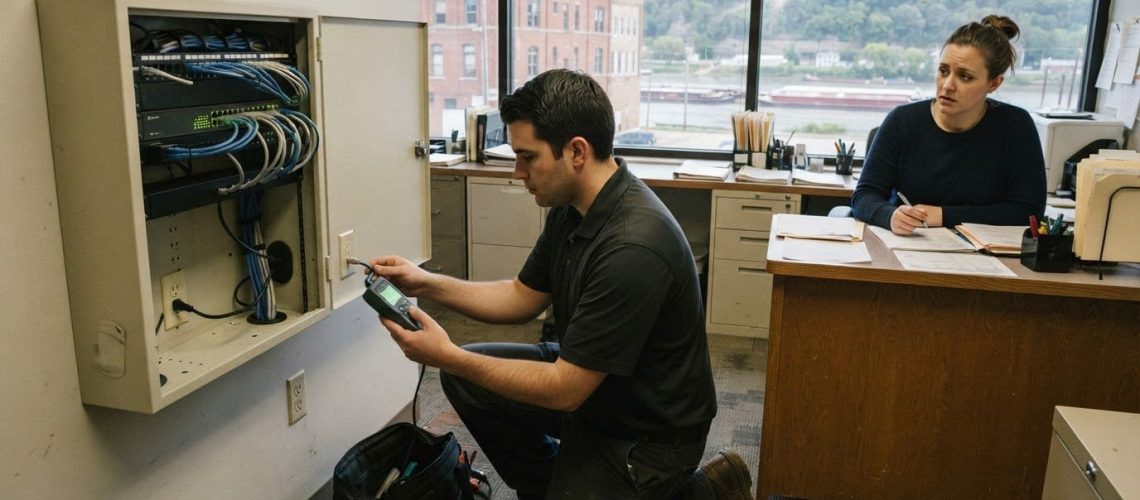
A quick first response matters, but resolving the right problem matters more. With a responsive IT helpdesk in East Dubuque, resolution time depends on the issue’s urgency, its impact on your business, and whether it can be fixed remotely or needs an on-site visit. A widespread outage or suspected security incident calls for a different response than a problem affecting one device.
It’s reasonable to want help as soon as something disrupts your work, along with clear expectations about what happens next. This article explains how emergency response is prioritized, what 24/7 help desk availability means for support access, and when remote troubleshooting or an on-site visit may be appropriate. You’ll also learn how help desk support can address problems affecting computers, mobile devices, networks, and cloud services, so you can understand the path from reporting an issue to getting operations back on track.
Key Takeaways
- Prioritize outages and suspected security incidents by their impact on business operations, then communicate what’s affected and when it began.
- Help desk troubleshooting can span computers, mobile devices, networks, and cloud services, with the issue’s scope guiding the next steps.
- Remote support can address problems accessible through a connection; issues involving physical equipment or on-site infrastructure may call for in-person work.
- Round-the-clock availability describes when help can be reached, while the issue’s urgency and complexity shape how it is handled.
- Managed IT Services and Network Installation & Management can support businesses seeking ongoing help with technology operations.
Emergency response for outages and security incidents
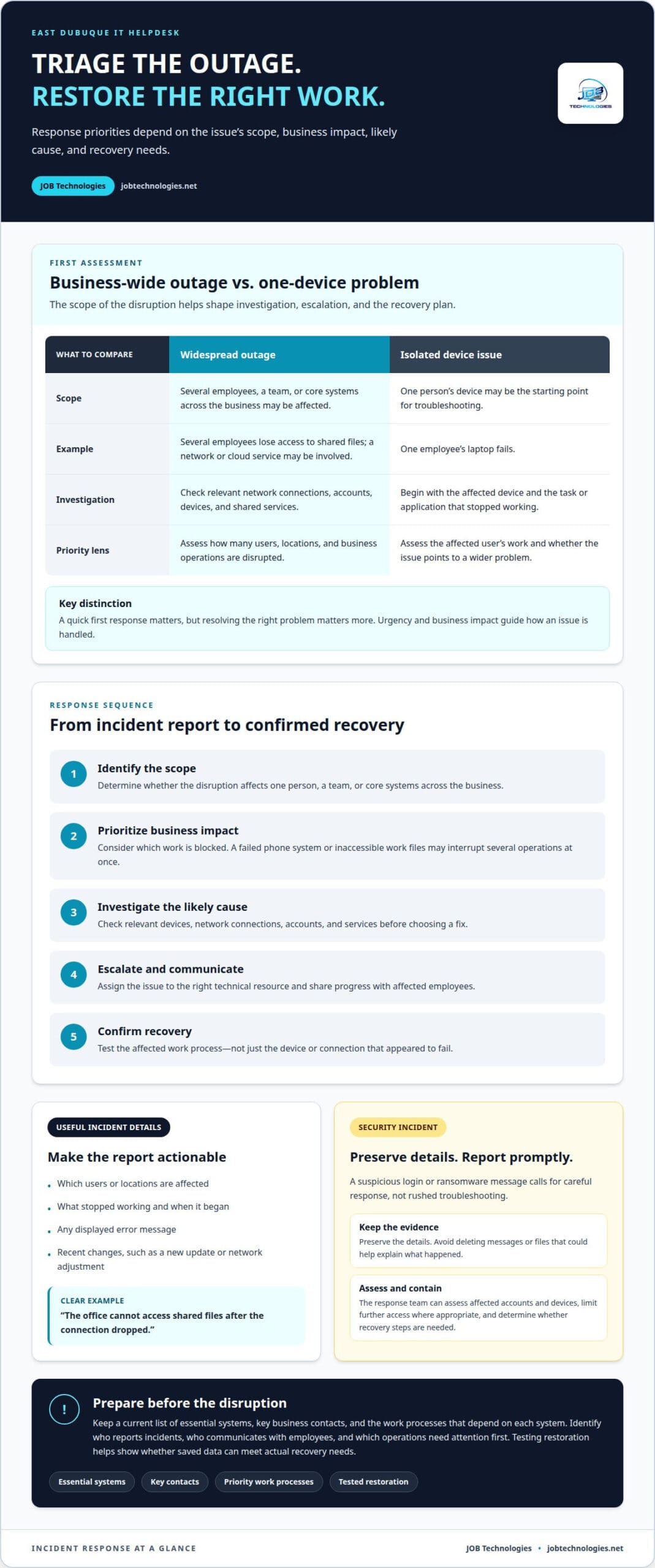
A responsive IT helpdesk in East Dubuque should distinguish a business-wide outage from an isolated device problem. That distinction shapes the investigation, escalation, and recovery plan. If several employees lose access to shared files, for example, the issue may involve the network or a cloud service. If one employee’s laptop fails, troubleshooting can start with that device.
How do East Dubuque IT helpdesk providers compare on reviews, response time, and services? Reviews can describe past customer experiences, but they don’t establish how quickly a provider will respond to your incident. Compare stated response commitments, support hours, escalation steps, and the systems covered.
When an outage begins, clear details help the support team assess its impact. Report which users or locations are affected, what stopped working, and when it began. Include any error message and recent changes, such as a new update or network adjustment. “The office cannot access shared files after the connection dropped” is more useful than “the computers are down.”
- Identify the scope. Determine whether the disruption affects one person, a team, or core systems across the business.
- Prioritize business impact. A failed phone system or inaccessible work files may interrupt several operations at once.
- Investigate the likely cause. Check relevant devices, network connections, accounts, and services before choosing a fix.
- Escalate and communicate. Assign the issue to the right technical resource and share progress with affected employees.
- Confirm recovery. Test the affected work process, not just the device or connection that appeared to fail.
A security incident needs a careful response, not rushed troubleshooting. If an employee reports a suspicious login or ransomware message, preserve the details and report it promptly. The response team can assess affected accounts and devices, limit further access where appropriate, and determine whether recovery steps are needed. Avoid deleting messages or files that could help explain what happened.
Are there local requirements or risks for IT support, data security, and backups in East Dubuque? Businesses should account for the information they handle and any obligations that apply to their industry. Practical risks include unauthorized access, ransomware, service interruptions, and backups that cannot restore needed files. Managed IT Services coordinate ongoing support, while Data Backup & Recovery helps restore business information after loss or disruption.
Preparation makes decisions during an emergency more orderly. Keep a current list of essential systems, key business contacts, and the work processes that depend on each system. A recovery plan should identify who reports incidents, who communicates with employees, and which operations need attention first. Testing restoration helps reveal whether saved data can meet the business’s actual recovery needs.
Help desk support for computers, mobile devices, networks, and cloud services
A useful help desk handles more than a computer that won’t start. Employees may report a frozen laptop, a phone that won’t connect, unstable office Wi-Fi, or an inaccessible cloud document. Each problem affects a different part of daily work. Support starts by recording the affected device, user, location, error message, and task that stopped working.
Requests can arrive by email, chat, phone, or in person. A clear report helps support staff distinguish a single-user issue from a wider disruption. One employee unable to open email, for example, may need account troubleshooting. If several employees report the same problem, a shared service or network may be involved. Support can then track the request, resolve it, or escalate it.
- Computers: Describe the device, the application, and the last action before the fault. A screen that freezes during a particular task offers a useful starting point.
- Mobile devices: Explain whether the issue involves calls, email, or access to work resources. Note whether it affects one phone or multiple users.
- Networks: Identify whether a wired connection, Wi-Fi, or a shared resource is affected. Report which work locations experience the problem.
- Cloud services: Name the service and describe the failed action, such as signing in or opening a shared file. Include any displayed error text.
Network issues often require tracing the connection between a user and the resource they need. A laptop may connect to Wi-Fi but still fail to reach a shared printer. The investigation should distinguish wireless access from access to the printer. Network Installation & Management can also address the underlying setup when business connectivity needs broader attention.
Cloud problems call for a different set of checks. A support technician can identify whether the problem involves sign-in, permissions, or a particular service. If one employee cannot open a shared document, for example, access settings may matter more than the device. If several employees cannot open it, the team can investigate the wider service or connection.
Support for office and remote employees also depends on a clear handoff. The request should record who is affected, which work task is blocked, and what troubleshooting has already taken place. That record helps another technician continue the investigation without asking employees to repeat every detail.
For businesses seeking coordinated help across devices and connections, business technology support can bring those needs into a clearer support process.
Remote and on-site IT support
Remote support lets a technician investigate problems without traveling to your workplace. It can suit issues involving software settings, account access, email, or cloud applications. If an employee can’t open a work program, for example, a technician can review the error and guide troubleshooting remotely. On-site support is more suitable when the issue involves physical equipment, cabling, or several connected devices.
The support method depends on the symptoms and what the technician needs to inspect. A failed login may call for checking account access. A network connection that drops across an office may require examining connected equipment and the physical setup. A broken monitor or loose cable needs someone to assess the hardware directly.
- Remote troubleshooting: The technician gathers the user’s description, checks relevant settings, and tests whether the work task succeeds after changes.
- On-site investigation: The technician can inspect equipment, connections, and the workplace setup when remote checks can’t identify the cause.
- Combined support: A remote assessment can narrow the issue before an in-person visit, helping focus attention on the affected equipment or location.
- Follow-up: After a fix, the technician confirms the original task works, such as opening an application or reaching a shared resource.
Clear communication helps with either approach. Describe the device, its location, and the action that failed. Mention whether the issue affects one person or several. “The conference room display won’t connect to the meeting laptop” gives a more useful starting point than “the meeting room is broken.” Those details can help determine whether the problem involves a device, connection, or configuration.
Remote access should be purposeful and limited to the troubleshooting task. The employee and technician can agree on which device needs attention and what issue they’re addressing. If access cannot be established, or the problem requires handling equipment, the next step may be an on-site assessment. A remote session can still help identify what needs inspection.
For network problems, location and scope matter. If one workstation loses connection while nearby devices remain online, the investigation can focus on that workstation and its connection. If several rooms experience the same disruption, support may need to assess shared network equipment or cabling. Network Installation & Management addresses the broader infrastructure involved in connectivity.
Neither method is automatically faster for every issue. Remote troubleshooting can avoid travel when a problem is accessible through a connected device. Physical faults, equipment placement, and wiring may require hands-on inspection. A responsive IT helpdesk in East Dubuque should explain the recommended approach, what it will examine, and how it will confirm that the affected task works afterward.
24/7 Reactive help desk availability
Round-the-clock help desk availability means support can receive reported issues at any hour. It doesn’t automatically mean every problem is fixed immediately. A 24/7 service needs a clear intake process, triage, and a route for urgent incidents. For example, a business reporting a failed login overnight should know how its report enters the support process.
Which East Dubuque IT support providers offer responsive or 24/7 helpdesk service? Look for providers that clearly describe their support hours, contact channels, issue prioritization, and after-hours escalation. Those details distinguish continuous access from support limited to standard business hours.
Reactive support starts after someone reports a problem. A useful request records the affected user, system, time, symptoms, and business impact. A failed point-of-sale connection, for instance, may need a different priority than one employee’s printer issue. The support team uses those details to assess and route the request.
- Intake: The employee reports the issue through an available support channel.
- Triage: The team assesses how many users and business functions are affected.
- Assignment: The ticket goes to a technician suited to the problem.
- Escalation: The team routes urgent or complex issues to the appropriate support level.
- Updates: The requester receives information about progress and next steps.
Ask what “24/7” covers in practice. A service may accept tickets continuously, while technical troubleshooting follows a separate schedule. A provider should explain whether after-hours support includes live assistance, ticket intake, or escalation for urgent incidents. Those distinctions help a business plan for an evening outage or a weekend access problem.
Response time and resolution time are different measures. Response time describes how quickly support acknowledges or begins reviewing a request. Resolution depends on the cause, access to affected systems, and whether another vendor or technical team must be involved. A clear service process explains how urgent incidents are prioritized without treating every request as equally critical.
Set internal reporting steps before an incident occurs. Employees should know which channel to use, what details to include, and who reports issues affecting multiple teams. A simple report should name the system, the task that failed, when the issue began, and who is affected. That information gives support a practical starting point.
For a business operating outside conventional hours, assess whether overnight access problems, remote work, or critical systems require continuous support. Managed IT Services provide an ongoing framework for handling reported technology issues. The right support arrangement depends on operational needs, issue severity, and the response process your business expects.
Which IT helpdesk providers serve East Dubuque, Illinois?
Businesses in East Dubuque can consider three support models: local assistance, regional coverage, and remote help desks. Local teams may handle workplace visits. Regional providers can combine remote troubleshooting with on-site work. Remote desks focus on issues technicians can address through connected devices. The right model depends on your business systems, location, and support needs.
A provider’s name alone doesn’t show how its support works. A business with staff in one office may need help with workplace equipment and network connections. A business with remote employees may also need support for account access, email, and cloud services. The service model should match the systems employees rely on every day.
Compare support arrangements by looking at how they handle a reported issue:
- Coverage: Identify whether support addresses computers, mobile devices, networks, and cloud services.
- Contact methods: Check whether employees can report issues by phone, email, chat, or in person.
- Response process: Understand how staff assess urgency, assign tickets, and escalate complex problems.
- On-site needs: Clarify how physical equipment, cabling, or workplace network problems are handled.
- Ongoing relationship: Distinguish help for individual incidents from support managing business technology over time.
A remote help desk may resolve an employee’s account access problem without visiting the office. A damaged network cable or a device that needs physical inspection may require on-site support. The provider’s process should explain how it moves from remote diagnosis to hands-on work when needed.
Reviews can offer insight into communication and service experience, but they don’t establish a response commitment. Read them alongside the provider’s stated support hours, escalation approach, and service scope. A review mentioning a solved email problem says little about handling an office-wide network disruption. The systems and urgency are different.
Support coverage also matters across the Illinois-Wisconsin border region. A business based in East Dubuque may have employees, equipment, or operations in more than one location. Support planning should account for remote users and the locations where devices or network infrastructure need attention.
Before choosing a support arrangement, define the business problem clearly. List essential systems, common disruptions, and tasks employees cannot complete during an outage. Note whether a phone outage blocks customer calls or shared files are central to daily operations, for example. Those details help shape support priorities and escalation paths.
For help with business technology needs in East Dubuque, start a support conversation.
Use reviews to understand communication and service experience, then assess response expectations through each provider’s stated support hours and escalation process. Also compare coverage for computers, mobile devices, networks, and cloud services, including how on-site needs are handled.
JOB Technologies
JOB Technologies helps East Dubuque businesses manage technology through Managed IT Services and Network Installation & Management. Turn to the team when recurring support needs, workplace connectivity, or technology changes call for a coordinated approach. A business planning network improvements, for example, can address its infrastructure alongside ongoing IT needs. JOB Technologies also provides AI Implementation and Phone Systems VoIP for businesses considering those solutions. The right starting point depends on the systems involved and the operational challenge you need to solve. Contact JOB Technologies to discuss your business’s IT support needs.
Set a clear path for your next IT decision
A useful next step is to connect technology support with business priorities. Consider which systems employees rely on most, who should report disruptions, and what information helps explain their impact. These decisions give a support conversation a practical starting point, especially when several teams depend on the same tools.
For a responsive IT helpdesk in East Dubuque, the best fit is support aligned with your systems and operations, not simply a list of technical capabilities. JOB Technologies works with businesses on IT needs shaped by their goals and existing setup. If you’re planning improvements or want to discuss ongoing support, contact JOB Technologies about IT support.
With a clear view of your priorities, you can approach your next technology challenge with greater focus and make a thoughtful plan for your business.
Frequently Asked Questions
How fast do you respond when something breaks?
JOB Technologies lists an average response time of 15 minutes, but resolving an issue depends on its cause and scope. For a useful report, include the affected employee, device or service, when the failure began, and the task blocked. For example, explain whether one account cannot sign in or an entire team has lost access. That context helps route the ticket.
What areas do you cover besides Dubuque?
JOB Technologies serves businesses in East Dubuque, Galena, Dyersville, Farley, Peosta, and Dubuque. This coverage can suit organizations with employees or technology spread across nearby communities. A company operating from a Galena office with staff in Peosta, for example, can consider its support needs across both locations. The service focuses on business technology and operations.
What are typical IT helpdesk response times and service-level agreements in East Dubuque?
There isn’t one response-time standard or service-level agreement that applies to every East Dubuque business. An SLA should explain how requests are prioritized and what response commitment applies to each priority. A printer issue and a company-wide sign-in disruption affect operations differently. Review how the agreement distinguishes acknowledgment from resolution, explains escalation, and provides status updates.
Do East Dubuque IT helpdesks provide remote support and onsite visits?
Yes. JOB Technologies provides unlimited remote and on-site support for business IT. Remote troubleshooting can address issues accessible through a connected computer, while an on-site visit can help assess workplace equipment or network infrastructure. A software access problem may begin with remote troubleshooting, then require an on-site assessment if physical cabling is involved. The issue determines the appropriate approach.
Which IT helpdesk providers serve businesses in East Dubuque and nearby Dubuque, Iowa?
JOB Technologies serves business customers in East Dubuque, Galena, Dubuque, Dyersville, Farley, and Peosta, Iowa. Its outsourced IT support is designed for small and midsize businesses, with support for computer, network, and email systems. Organizations seeking ongoing technology help can consider whether the provider’s work addresses both current support needs and the systems employees depend on for daily operations.
What services do local IT helpdesks cover, such as Microsoft 365, cybersecurity, and network troubleshooting?
Business IT support can cover account access, email, network troubleshooting, cybersecurity, and data recovery. JOB Technologies supports both Microsoft and Google environments, along with ransomware protection, network management, and backup and recovery. A staff member locked out of a work account needs a different investigation from employees experiencing unstable office connectivity. The affected system and task guide troubleshooting.
What should businesses check before choosing an IT helpdesk provider in East Dubuque?
Start by matching support coverage to the systems your employees use. Consider escalation for urgent issues, remote and on-site support, security, and backup needs. Then identify which business tasks depend on each system, such as processing orders or accessing shared files. JOB Technologies provides managed IT and network support to help businesses address technology needs as part of daily operations.
How do East Dubuque IT helpdesk providers compare on reviews, response time, and services?
Reviews can describe past customer experiences, but they don’t establish how quickly a provider will respond to your incident. Compare stated response commitments, support hours, escalation steps, and the systems each provider covers.