
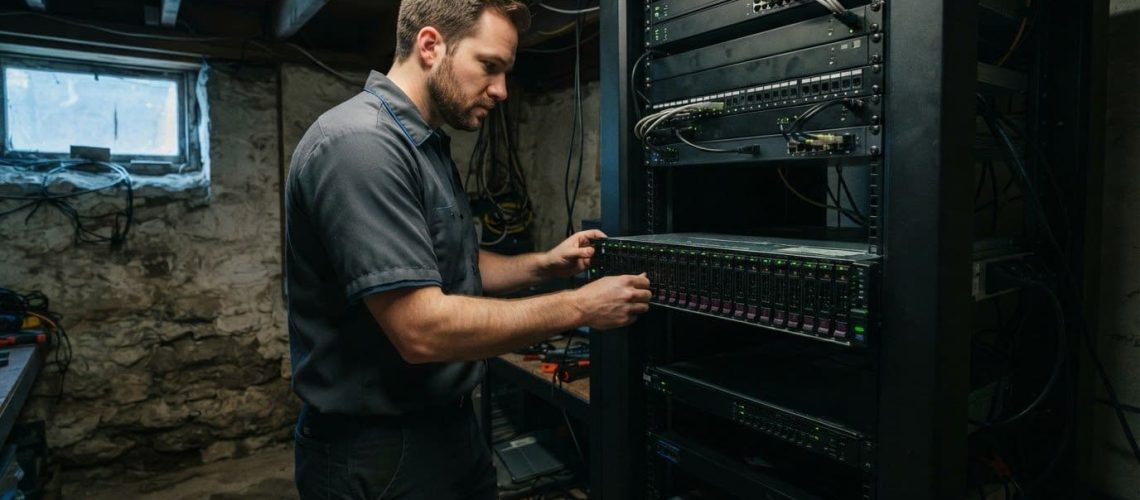
The headline fee isn’t the whole cost picture. Server maintenance and support in Galena can cover routine monitoring and updates, while additional charges may depend on the work required, the level of coverage, and whether service can be handled remotely or needs an on-site visit. The exact scope matters.
It’s reasonable to want clear costs before committing, especially when an unexpected server issue could interrupt daily work. A useful proposal distinguishes ongoing coverage from additional work, so you can see what’s included and what may affect the total.
This guide explains what server maintenance typically covers, how remote and on-site support differ, and which service details can affect costs. You’ll also learn what to clarify about monitoring, troubleshooting, planned maintenance, and work outside the agreed scope, so you can assess the support your business needs with greater confidence.
Key Takeaways
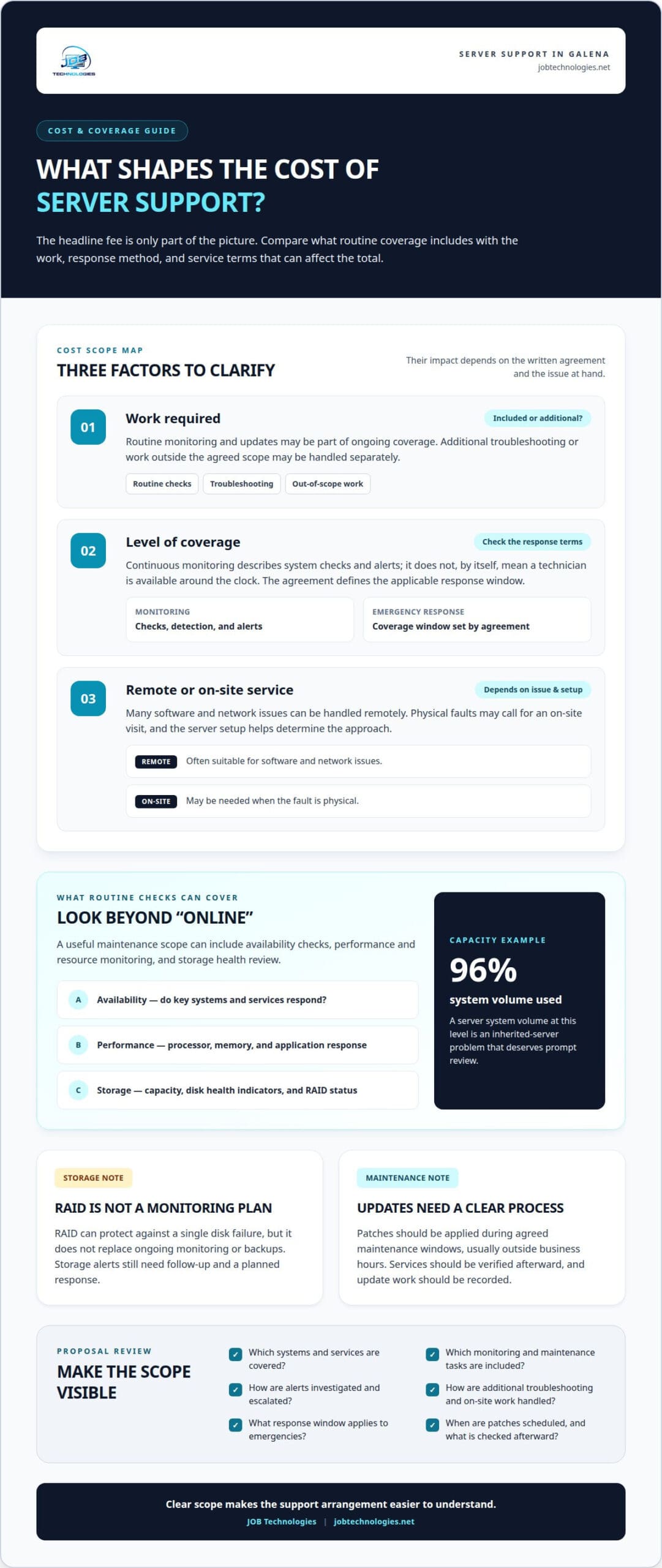
- Look beyond an “online” status: monitoring server performance, resource use, and storage can reveal developing capacity problems, such as a system volume at ninety-six percent.
- RAID can protect against a single disk failure, but it doesn’t replace ongoing monitoring or attention to server health.
- Server management can include network oversight and software updates, with patches applied during agreed maintenance windows and services verified afterward.
- Remote support can handle many software and network issues, while physical faults may call for on-site work; the issue and server setup shape the approach.
- Clarify what routine coverage includes and how additional troubleshooting or on-site work is handled, so you can understand the scope behind the support arrangement.
Server availability, performance, resource, and storage monitoring
Server monitoring tracks whether essential systems respond, how they perform, and whether resources are running low. For a business in Galena, the key question is whether alerts lead to timely investigation and clear maintenance decisions.
Continuous Availability Monitoring
Availability monitoring checks whether a server or key service responds, such as a shared file system or business application. Automated detection can flag a failed check or unusual interruption for investigation. Continuous monitoring describes the collection and alerting process; it doesn’t, by itself, mean a technician is available around the clock.
JOB Technologies provides managed IT and network support for businesses in Galena, including server and infrastructure management. The relevant comparison is the written scope: which systems are covered, what maintenance is included, and how support is handled.
When reviewing pricing, services, and reviews, compare the written coverage, monitoring, escalation process, and terms for additional work. Reviews can offer context about communication and issue handling, but they don’t replace a clear description of service scope.
Performance and Resource Optimization
Performance monitoring tracks indicators such as processor demand, memory use, and application responsiveness. A technician can compare changes over time, identify recurring pressure points, and recommend adjustments based on the server’s workload. For example, slow application response alongside sustained resource pressure calls for a different investigation than a connection problem affecting one user.
Proactive optimization uses those observations to prioritize maintenance before a bottleneck interrupts work. Monitoring can flag trends for review, while technical expertise helps distinguish normal workload changes from developing issues. Clarify which performance indicators are monitored and how findings are reported.
RAID and Storage Health
Storage monitoring tracks available capacity, disk health indicators, and RAID status. RAID can protect against a single disk failure, but it doesn’t protect against inattention or replace backups. A server system volume at ninety-six percent capacity is a practical example of an inherited-server problem that deserves prompt review.
A maintenance review can assess whether storage alerts are enabled, whether a RAID warning receives follow-up, and whether capacity trends are reported. Monitoring and maintenance work together: alerts identify a condition, then a technician investigates its cause and plans a response. These checks should be clear in the agreed service scope.
Available maintenance can include availability checks, performance and resource monitoring, and storage health review. Emergency response hours are a separate coverage question: continuous monitoring doesn’t establish 24/7 emergency service, so the written agreement defines the applicable response window.
What Is Server Management?
Server management coordinates maintenance for server software, network connections, and supporting components. For a business in Galena, planned updates help keep these systems aligned with daily operations.
Network and Software Updates
Network management considers how servers connect with switches, business applications, and user devices. A software update can affect those connections, so a technician reviews dependencies and schedules changes around the work the systems support. For example, after updating a business application, staff should still be able to reach its server.
Check whether the update process covers both network equipment and server software, and how changes are recorded. A custom environment may depend on specific applications or integrations, so the platform and its dependencies help shape the update plan.
Operating System Patching
Operating system patches address software issues and help maintain a server’s operating environment. Before applying a patch, a technician considers the server’s role, related applications, and an appropriate maintenance window. A file server and an application server may need different schedules because they support different operations.
Patches should be applied during agreed maintenance windows, usually outside business hours, with services verified afterward. Follow-up can include confirming that the operating system starts correctly and that key applications or shared resources respond as expected.
Server Patch Management
Patch management is the coordinated process of reviewing, scheduling, applying, and documenting server updates. It distinguishes routine patches from upgrades that may change how software works. A clear process also records which systems received updates and whether post-update checks found any issues.
Clarify how the update schedule is set, how affected operations are considered, and what happens if a patch causes a problem. The process should explain the maintenance window and the service checks performed afterward. These details define the scope more clearly than a general promise to keep systems updated.
Firmware and Driver Updates
Firmware and drivers help server components communicate with the operating system. Examples include firmware for a network adapter or a driver for a storage controller. Before applying updates, a technician considers compatibility with the server platform and its other components, since changes can affect connected hardware.
Firmware work may need a different plan from an operating system patch. A technician can identify the relevant component, review the proposed update, schedule the work, and test the related function afterward. For example, a network connection check can confirm whether the adapter still communicates after its driver is updated.
A managed IT services plan can bring server, network, and software updates into a coordinated maintenance process.
Physical and virtual server administration
Server administration keeps hardware, virtual machines, access settings, and configuration aligned with business needs. It starts with identifying the systems that support essential operations, then maintaining each environment without disrupting connected applications or users.
Businesses in Galena can include physical servers, virtual infrastructure, and platforms such as Microsoft Hyper-V in their IT management. The specific hardware and platform coverage depends on the environment and service agreement, so the scope should identify the systems being administered.
For a physical server, administration can include reviewing its configuration, operating system, connected storage, and network role. A technician may document how it supports file sharing or a business application, then plan patches and configuration changes around those dependencies. This record helps focus later troubleshooting.
Virtual administration adds another layer. A host machine runs virtual servers, each with assigned resources and its own operating environment. In a Hyper-V environment, administration includes reviewing virtual machine settings and how workloads relate to the host. If one virtual server needs adjustment, the technician considers the effect on other workloads sharing the infrastructure.
Administrative access also needs careful management. A technician can assign permissions according to a person’s role, separate routine user access from administrator privileges, and remove access when responsibilities change. For example, staff using a shared application may need access to that application without permission to change server settings.
Configuration management records important settings, including server roles, network connections, and application dependencies. This gives technicians a reference before changing a service or applying patches. A practical review compares the documented setup with the live environment and notes changes that affect operations or recovery planning.
Backup planning complements administration by preserving a recovery path if a configuration change or hardware issue affects important data. Backup and recovery work should account for which server information needs protection and how restoration fits business operations. Backups support recovery, but they don’t replace careful changes or ongoing administration.
Server age also informs planning. Five years is a reasonable planning horizon for assessing capacity, reliability, and replacement needs. It isn’t an automatic replacement deadline: workload, hardware condition, software compatibility, and business requirements all shape the decision.
For a clear service scope, identify the physical servers, virtual platforms, access responsibilities, and backup needs involved. These details help define ongoing administration and show where configuration changes need coordination with business operations.
Remote and on-site server management
Remote management lets a technician investigate accessible systems without traveling to your workplace. On-site service can address work that requires physical access to equipment, cabling, or a server room.
Flat-Rate Server Care
A flat-rate managed plan groups defined maintenance tasks under an ongoing service arrangement. Its value depends on the written scope: which servers receive monitoring, what routine maintenance is included, and how additional work is handled. The label alone doesn’t show whether hands-on repairs or major changes are covered.
Review how the plan handles remote troubleshooting, on-site visits, and work outside routine maintenance. For example, resolving a software configuration issue remotely may fit the regular scope, while replacing a failed component may require separately scoped work. Clear boundaries help you understand what the agreement covers.
Network, Virtual Server, and Database Management
Network setup and management can include configuring connections between servers, switches, and staff devices. A technician may trace an application access problem across those points to identify whether the issue is on the network or server. Remote access can support the investigation when the affected equipment is reachable.
Virtual server management covers the host and its virtual machines, including configuration changes and workload coordination. Database management focuses on the data platform behind applications, such as checking service availability and investigating connection errors. These systems need a joined-up view because a database issue may appear to users as an application or network failure.
Response Times and Local Presence
Support hours and response processes should be clear in the service agreement. Look for how issues are prioritized, how urgent incidents are handled, and whether remote and on-site work have different terms.
Many tasks can be handled remotely, but physical work may require a site visit. A server that won’t power on, for example, may need hands-on diagnosis, while a permissions problem may be resolved remotely. The practical concern is delay when equipment access is needed, not distance alone.
To compare coverage, match likely support needs to the delivery method: remote access for software investigations, network troubleshooting, or virtual server administration; on-site service for physical equipment and cabling. Also clarify how support continues if remote diagnosis identifies a hardware problem. This distinction sets expectations before an incident disrupts operations.
Troubleshooting hardware, software, and network issues
Effective troubleshooting separates a server symptom from its underlying cause. A support team can trace hardware, software, and network signals, then document the fix and its effect on business operations.
Performance and Application Issues
When an application slows down, technicians examine its server, software, network path, and dependencies. For example, if staff can access a file share but one business application stalls, the investigation can focus on that application’s service and server connections.
The support team can compare the reported symptom with system activity, recent changes, and other affected services. This helps distinguish a fault in one application from a broader network or server problem. A clear incident record notes the symptom, cause, action taken, and result.
Hardware troubleshooting follows the same evidence-led process. A server that unexpectedly shuts down calls for checks of power, component health, and operating conditions. If a BIOS or firmware update is three years behind, that may be an inherited-server issue worth including in the assessment.
Recurring Issues and Downtime Reduction
A repeat incident needs more than another temporary fix. Technicians can compare incident records, identify patterns, and address the source, such as a recurring service failure or a network connection that repeatedly drops. Tracking the cause and resolution helps show whether corrective work keeps the system stable.
When an unsupported Windows server cannot be replaced immediately, isolate it and restrict its network access. This limits exposure while replacement planning proceeds. The support team can also identify which applications still depend on the server, helping business leaders plan changes around operational needs.
Recovery planning matters when troubleshooting uncovers a damaged server or service. A current backup can support restoration of business data after an incident, while a documented recovery process clarifies which systems need attention first. Backup and recovery planning cannot prevent every failure, but it provides a defined route for restoring affected information.
To reduce disruption, technicians can group findings into immediate fixes, recurring causes, and longer-term infrastructure needs. Restoring a failed application service, for example, addresses the current interruption, while investigating why it stopped can help prevent a repeat. Clear updates also help staff understand what is affected and which services are running again.
If server or network issues keep interrupting work, request managed IT support to address the underlying causes and ongoing maintenance needs.
JOB Technologies
JOB Technologies supports businesses in Galena with server and network needs through Managed IT Services and Network Installation & Management. Turn to the team for routine maintenance, recurring technical issues, or coordinated support for connected infrastructure.
For server support, outline which systems support daily operations, what problems recur, and whether work may require remote or on-site attention. This context helps shape support around your environment and clarify the scope of ongoing management. For broader technology planning, JOB Technologies also provides AI Implementation and Phone Systems VoIP.
If you’d like to discuss server maintenance and support for your business, contact JOB Technologies.
Make server support part of your continuity plan
Connect server support decisions to the work your business needs to keep running. Consider which systems are most important, who needs access during an incident, and how a technical issue could affect staff or customers. These priorities help shape support around real operations rather than a generic checklist.
For businesses considering server maintenance and support in Galena, start by discussing current pain points, planned technology changes, and the coordination needed across IT and network infrastructure. JOB Technologies offers Managed IT Services, Network Installation & Management, and AI Implementation for broader technology needs alongside server support.
Share your priorities and discuss an approach that fits your operations. Contact JOB Technologies to talk through the next step, and move forward with a clearer plan for dependable technology support.
Frequently Asked Questions
Are there any additional costs or hidden fees?
Potential additional costs depend on what the proposal includes and how it treats work outside that scope. JOB Technologies sets managed-service pricing per computer or per user after a needs assessment, then provides the exact price in a proposal. Before approving, look for a clear distinction between recurring support and separately scoped requests, such as adding a server or coordinating a major infrastructure change.
How much does server maintenance and support cost in Galena, Illinois?
Pricing is per computer or per user, determined after a needs assessment, with the exact price provided in a proposal. There is no single published price for every business because requirements and technology environments differ. For businesses in Galena, Dubuque, East Dubuque, Dyersville, Farley, and Peosta, the assessment helps shape a proposal around the organization’s IT needs.
What is included in managed server support contracts in Galena?
JOB Technologies’ Managed Services package contains support, business and security software, hardware, and technical advisory services required for the client’s IT. For server coverage, the agreement should make clear which systems and support responsibilities fall within that scope. For example, a business adding a server should understand how the change affects its managed services and proposal.
What should businesses look for when choosing a server maintenance provider in Galena?
Look for a written scope that identifies covered systems, how issues are escalated, and how service changes are handled. A practical test is adding a business application: the arrangement should clarify who coordinates its server and network requirements. Also consider whether the services fit your organization’s needs, such as ongoing IT management or network installation and management.
How often should business servers be maintained, backed up, and updated?
Maintenance frequency should reflect the server’s workload, condition, and changes to connected systems. JOB Technologies provides weekly vulnerability patches and a hybrid backup solution with hourly local and daily cloud backups. Planned software or infrastructure changes can also affect maintenance timing. The schedule should support operations while giving technicians a consistent process for updates and recovery.
How do Galena server support providers compare on pricing, services, and reviews?
Compare written coverage, included monitoring, escalation processes, and terms for additional work. Reviews can provide context about communication and issue handling, but they don’t replace a clear description of service scope.