
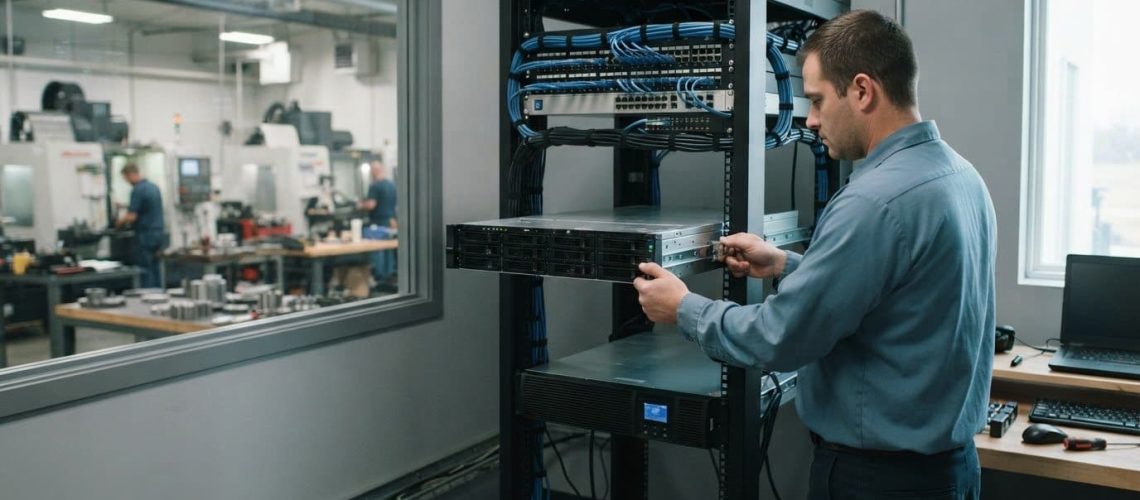
A server installation succeeds when it supports how your business actually works, not simply when the equipment powers on. Small business server installation in Dyersville should include choosing a setup that fits your users and applications, connecting it to your network and data, planning the deployment, and establishing how it will be managed and updated. The goal is a dependable foundation for everyday work.
It’s understandable to focus first on which server to buy, but the right choice also depends on what your team needs to access, how your systems are used, and what support will look like after installation. This article explains what installation and management can include, how local support in Dyersville fits into planning, and which business requirements shape server selection and configuration. You’ll also learn what to expect during deployment, how ongoing administration keeps systems aligned with changing needs, and when an upgrade may make sense. Consider these decisions together to plan a server project around your operations, rather than treating installation as a one-time equipment setup.
Key Takeaways
- Choose a server configuration around your team’s workloads, access needs, network, and cybersecurity requirements, not equipment specifications alone.
- Provider coverage matters for coordinating installation, ongoing support, and future changes with your business operations in Dyersville.
- A deployment plan should account for dependencies, data migration, testing, and a transition that minimizes disruption to daily work.
- According to the National Institute of Standards and Technology (NIST), businesses should understand their legal, regulatory, and contractual cybersecurity requirements (GV.OC-03).
- Regular administration helps keep the server aligned with changing needs, while upgrades should address capacity, compatibility, security, and business priorities.
Server selection and custom configuration
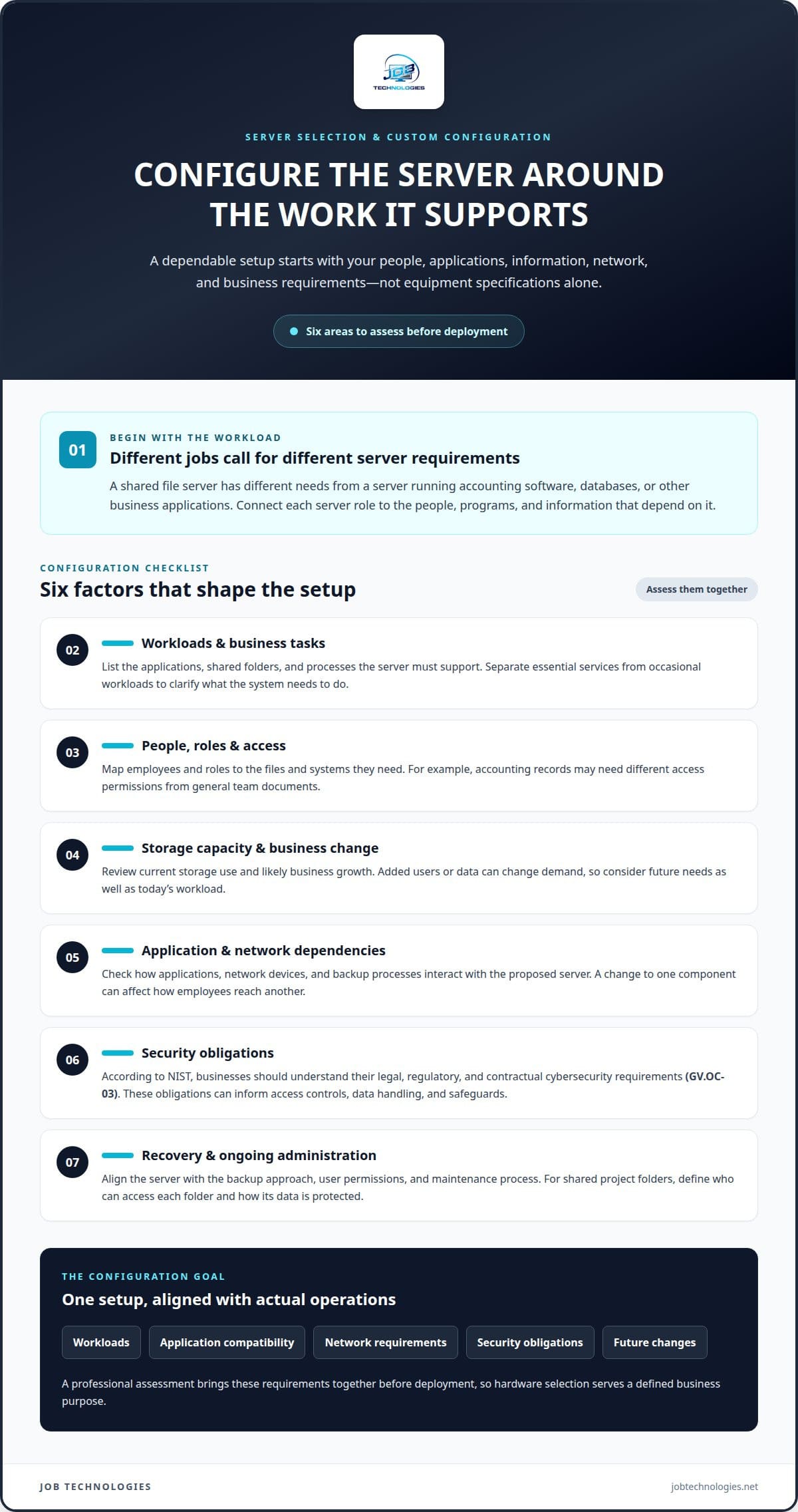
Start server selection with the work your business needs the system to support. A shared file server has different requirements from a server running accounting software, databases, or other business applications. For a Dyersville company, the installation plan should connect each server role to the people, programs, and information that depend on it.
A technical assessment turns those needs into configuration choices. It considers current users, application requirements, storage needs, network connections, and expected business changes. For example, a team storing large design files may prioritize storage capacity and reliable access, while an office relying on business applications may need a server configured to meet those applications’ compatibility requirements.
- Document workloads. Identify the applications, shared folders, and business processes the server must support. A list of daily tasks helps distinguish essential services from occasional workloads.
- Map access. Match employees and roles to the files and systems they need. For example, accounting records may require different access permissions from general team documents.
- Plan capacity. Review current storage use and likely business growth. The goal is a configuration that fits present workloads without ignoring how added users or data could change demand.
- Review dependencies. Check how applications, network devices, and backup processes interact with the proposed server. A change to one component can affect how employees reach another.
Security belongs in selection, not as a last-minute setting. According to the National Institute of Standards and Technology (NIST), businesses should understand their legal, regulatory, and contractual cybersecurity requirements (GV.OC-03). Those requirements can inform choices about access controls, data handling, and the safeguards built into the server environment. The right configuration depends on the obligations that apply to the business.
Custom configuration also includes planning for recovery and administration. A server should fit the organization’s backup approach, user permissions, and maintenance process. For example, a business with shared project folders needs a clear structure for who can access each folder and how its data is protected. These decisions make daily use easier to manage and help prevent improvised settings.
For small business server installation in Dyersville, the goal is a system sized and configured around actual operations. A professional assessment connects workloads, application compatibility, network requirements, security obligations, and future changes before deployment begins. This ensures hardware selection serves a defined business purpose and fits the systems employees rely on.
Provider coverage and availability
For a Dyersville business, local support affects how installation work is coordinated at your location. Server deployment may involve connecting the server to the existing network, moving business data, and confirming that employee computers can access required files and applications. A clear plan identifies which work happens on-site, which tasks can be handled remotely, and who coordinates each part. These details help align installation with your office layout and operating needs.
Support needs extend beyond scheduling the initial installation. A server may need attention when an application changes, a user can’t access a shared folder, or a business adds computers. Clarify how routine administration and larger technical changes will be handled. For example, a planned server upgrade may require coordination among the business, its software vendor, and the IT professional managing the installation.
- Define the service location. Record the Dyersville office where installation will occur and identify network equipment the work must connect with.
- Set the work scope. Separate server deployment, data transfer, computer connections, and later administration so responsibilities are clear.
- Plan access. Identify who can provide access to the server room, network equipment, business applications, and existing systems during the project.
- Map coordination. Note relevant software vendors or internal contacts, such as the person responsible for accounting applications.
Support should fit the way your staff works. If employees use a shared server from one office, the installation plan can focus on that site’s network and computers. If staff also work elsewhere, the design needs to account for how those users access business systems. The project’s scope, network layout, and access requirements all affect the work involved.
Planning also means choosing when changes happen. Moving files or replacing a server can affect employees who rely on shared documents, so deployment needs a defined sequence and a clear point of contact. For example, schedule application testing with the person who uses that system every day. This can reveal access issues before the new setup becomes the main work environment.
For a small business in Dyersville, a useful coverage plan connects the installation site, the people involved, and the support needed after deployment. It should make responsibilities and communication paths understandable, without assuming that every issue requires an on-site visit. If you’re organizing a server project, server installation planning can help frame the work around your location and business operations.
Server installation planning and deployment
A deployment plan connects the new server to daily work instead of treating installation as a single hardware task. For a Dyersville office, identify the systems affected, the people who rely on them, and the order of changes. A shared-drive migration, for example, needs coordination with employees who use those files and applications that depend on them. This preparation makes dependencies visible before installation begins and supports a smoother transition.
A professional typically organizes deployment around a sequence of project decisions:
- Set the scope. Record which server functions are changing, such as shared storage, application access, or user accounts.
- Map dependencies. Identify connected computers, network equipment, business software, printers, and other systems that must keep working.
- Plan the transition. Establish when data will move, how users will reach the replacement environment, and who will communicate changes.
- Define acceptance checks. Specify how the team will confirm that logins, shared folders, and required applications work after deployment.
Data migration deserves its own plan. Identify what information must move, where it currently resides, and how employees use it. Moving a shared department folder, for example, involves more than copying files. Permissions, folder structure, and application references may also need to stay consistent. A defined migration sequence helps prevent staff from working in different versions of important documents.
Installation timing should reflect business activity. If employees use an accounting application for daily transactions, include a functional test with the staff member who relies on it. The project team should also identify where employees can report access problems. This gives staff a clear way to raise issues instead of leaving them to troubleshoot a server change themselves.
Network preparation is another deployment requirement. Review how the server connects to network equipment and how computers access its services. If an office uses both wired computers and wireless devices, consider both connection paths during testing. Network installation and management can be part of the work when the server project requires coordinated changes to network connections or access.
Before handoff, test the agreed business functions, including user sign-ins, shared resources, and key applications. Document which tasks are complete and any follow-up work needed. For example, confirming that a department can access its shared files demonstrates more than a powered-on server. It shows that a practical part of the planned business workflow is ready to use.
Server setup and administration
After installation, the server needs settings that support daily operations and remain understandable as staff changes. Administration includes managing accounts, permissions, storage, updates, and backup routines. When an employee changes roles, for example, access to shared folders should reflect their new responsibilities. A consistent process helps prevent outdated accounts or permissions from disrupting work.
A professional administration plan defines recurring tasks and who handles them. Typical areas include:
- User access: Create or adjust accounts as employees join, leave, or change roles. Review permissions for folders containing payroll or customer records.
- System updates: Plan and apply updates in a controlled manner, considering business applications that depend on the server.
- Storage health: Review available capacity and usage patterns. A growing project archive, for example, may require a storage plan before space becomes constrained.
- Backup oversight: Track backup results and test recovery processes. A successful backup report and a usable restored file answer different questions.
Permissions deserve careful attention because they determine what each person can access. A small business might use separate folders for accounting, management, and shared team documents. The administrator maps access to job responsibilities and reviews it when duties change. This helps limit accidental exposure while keeping routine work practical. Clear ownership also helps staff know who approves access changes.
Updates need to be coordinated with the software running on the server. An accounting application, for example, may rely on particular server settings. Administration should account for that dependency, schedule changes carefully, and verify essential workflows afterward. Recording the change and its outcome gives the next administrator useful context, especially when troubleshooting later.
Backup administration involves more than checking whether a task ran. Consider which business information matters, how often it changes, and how recovery would work. Restoring a shared folder, for instance, can confirm that files are recoverable, while a broader recovery test may cover more of the server environment. Recovery planning should reflect business priorities and the systems employees need to resume work.
Good administration also creates a practical record of the server environment, including account changes, system updates, backup results, and recurring issues. If an employee reports that a shared application is unavailable, those records can help connect the problem to recent changes. Regular review makes administration an ongoing operating process, rather than something that begins only after staff experience disruption.
Small-business server installation and upgrades
For Iowa small businesses, data privacy and cybersecurity obligations depend on the information handled, industry requirements, and customer or vendor contracts. Configure the server to support the obligations that apply to your business, while identifying those obligations separately.
Backup, cybersecurity, and disaster recovery planning should reflect both applicable obligations and what the business needs to restore. Define which information and operating systems need protection, who can access them, and how recovery will be tested. For example, a company that depends on shared files and an accounting application should include both in its recovery priorities.
An upgrade makes sense when the existing environment no longer supports business needs. Assess the reason for the change, then consider dependencies and transition risks before selecting an approach. Common triggers include:
- Capacity pressure: Storage or processing needs have changed as data, applications, or users have grown.
- Compatibility issues: A business application or connected system no longer fits the current server environment.
- Operational strain: Employees experience recurring access or performance problems that affect routine tasks.
- Security concerns: The existing setup needs changes to better support the business’s cybersecurity practices and obligations.
Replacing a server involves more than installing equipment. The professional plans how configurations, user access, applications, and data will transfer. For example, an upgrade that changes where a shared application stores files needs coordination with the people who use it. Testing those workflows before relying on the replacement helps reveal issues early.
Plan for downtime as part of the upgrade decision. Identify which services may be interrupted, how the change affects employees, and what sequence can limit disruption. A business might schedule a transition around its accounting workflow, then test access before staff resume routine work. The right approach depends on the systems involved and how important each one is to daily operations.
Review security and recovery alongside the upgrade. Changes to accounts, permissions, connected computers, and backup coverage can affect how well the new environment protects business information. A recovery test can help establish whether priority files and applications can be restored as planned. Documenting the new setup also makes future administration easier.
If an upgrade or recovery plan needs professional attention, plan server upgrades and recovery around your business systems and priorities.
Identify the privacy and security duties tied to the information your small business handles, its industry, and its customer or vendor agreements. Design server access controls, backups, and recovery planning to support those duties.
JOB Technologies: Network Installation & Management
JOB Technologies provides Network Installation & Management to connect server systems with the network and computers your team relies on. Turn to this service when a new server needs to fit an existing network, access problems affect daily work, or an upgrade requires coordinated network changes.
Server needs continue after deployment. Managed IT Services can support ongoing technology administration, while AI Implementation and Phone Systems VoIP address other business technology needs. The right next step depends on the systems you use and the operational issue you’re working to solve.
Share what your server needs to support, which systems it connects to, and what’s prompting the project. That context helps focus the conversation on your business priorities. Contact JOB Technologies to discuss your server and network needs.
Make Your Next Technology Decision With Confidence
Your server should support where your business is headed, not just solve an immediate need. As you plan small business server installation in Dyersville, consider how upcoming operational changes could affect your technology priorities. New workflows, evolving customer needs, or plans to introduce AI may shape how your systems should work together. A focused conversation can connect those priorities to a practical next step.
JOB Technologies offers Managed IT Services, Network Installation & Management, and AI Implementation. These services can help businesses coordinate technology decisions with ongoing operations and future plans. Start with the challenge that matters most, whether that’s aligning your network with a server project or considering how AI could fit your workflows.
Contact JOB Technologies to discuss what your business needs next. A thoughtful plan can help you move forward with greater clarity and confidence.
Frequently Asked Questions
What Does Server Installation and Management Include?
Server installation and management cover the work needed to put a business server into service and keep it aligned with operations. This can include configuring accounts, connecting business systems, validating essential applications, and managing ongoing changes. When a new employee needs access to a department’s shared files, for example, administration should reflect their role rather than grant broad access by default. The scope depends on the server’s purpose.
Which small business server installation providers serve near Dyersville, Iowa?
JOB Technologies serves businesses in Dyersville and nearby communities, including Dubuque, Galena, East Dubuque, Farley, and Peosta. Its Network Installation & Management and Managed IT Services support business network and technology needs associated with server projects. For example, a business coordinating server deployment with existing network systems can discuss its operational needs with the team.
What are the professional steps for planning and installing a small business server?
A professional starts by clarifying the business purpose, then coordinates system requirements, deployment, and handoff. Before installation, identify who is responsible for each critical application, such as the employee who manages scheduling or bookkeeping. That contact can confirm whether the system works for real tasks after installation. The professional can then document the setup and explain how staff should report server-related issues.
How long does server installation take for a small business?
The schedule depends on the project’s scope, the amount of data involved, application connections, and access to existing systems. A straightforward setup requires different coordination from a replacement involving file migration and several business applications. The professional can map the process from preparation through testing and handoff, with timing shaped by those dependencies and the business’s preferred transition window.